Concepts
Most operational work is part software and part people. The software half is a workflow: a graph of steps that runs on its own. The human half is a task: something a named person has to do, by a date, and be accountable for. Honeybase keeps both halves in one system, because in practice they interrupt each other constantly — a workflow needs an approval, an approval needs a follow-up automation.
These pages describe the model. They are not a click-by-click manual; they explain what the objects are, how they relate, and why the boundaries between them sit where they do.
The model in one paragraph
You design a process. A process holds workflows: one editable draft, plus every version you have released. Releasing freezes a version — released workflows never change, so a run you look at next month is explainable by a definition that still exists. Each execution is a run, and every run is kept with the input, output and error of every step. Steps can call your other systems through integrations, and they can create tasks for people, optionally with a form attached. Tasks go to a person directly or to a team, and team routing consults availability, which schedules move automatically at the start and end of a shift. Agents are AI you configure to do work on its own; Barry is the AI copilot inside the app that helps you build all of the above.
  Process
    ├── Workflow (draft)          you edit this
    └── Workflow v1.0, v1.1 …     released, immutable, these are what run
                │
                ▼
              Run  ──►  step, step, step …      recorded node by node
                          │
                          ├─► Integration      read/write your other systems
                          └─► Task  ──► a person (directly, or via a Team)
                                          │
                                          └─► Form, completion, audit trail
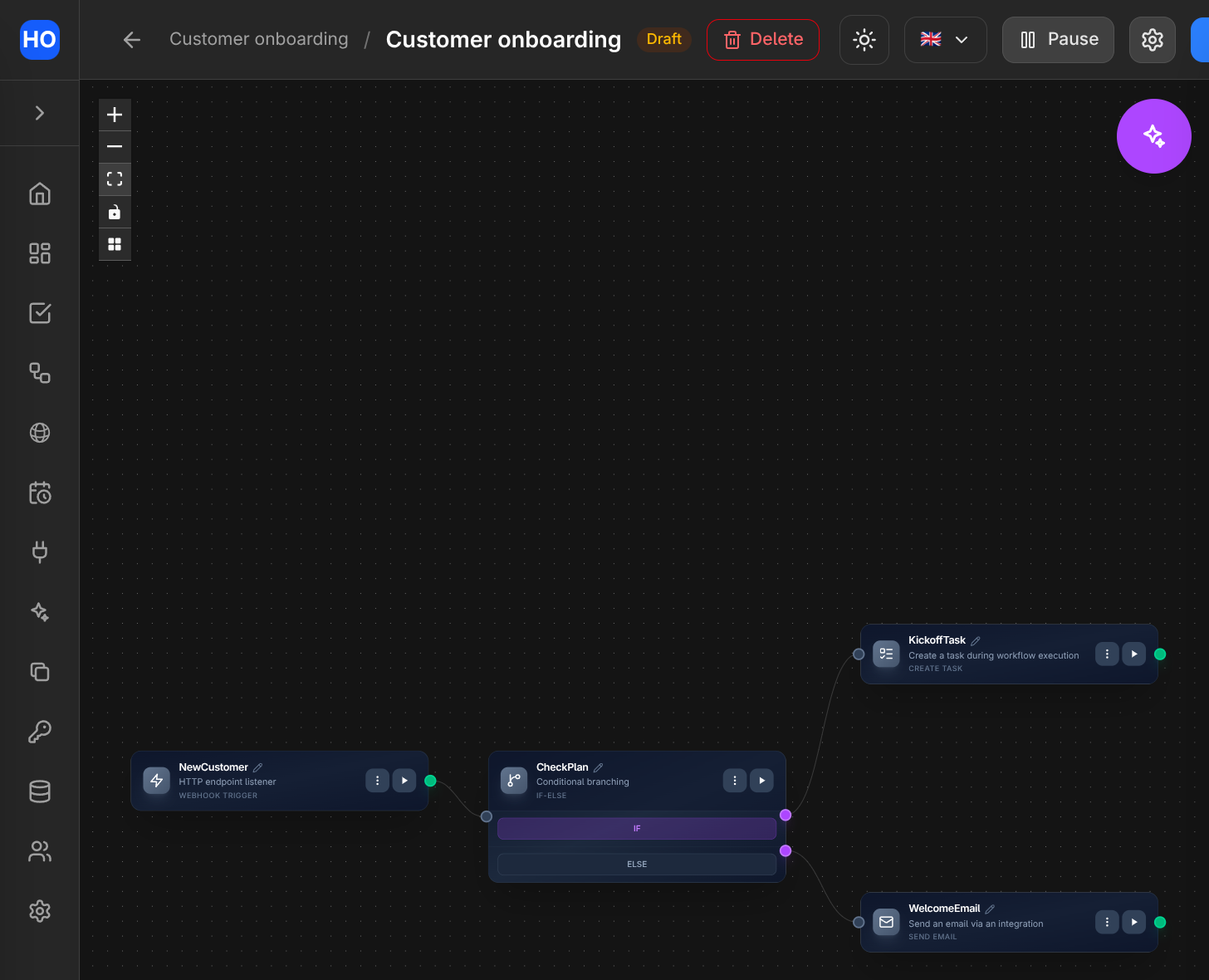
The workflow editor: a trigger flows into an If-Else, which fans out to a Create Task node and an email node.
Vocabulary
| Term | What it means |
|---|---|
| Process | The container for one automation and everything about it: its workflows, its run history, its settings, the tasks it creates. |
| Workflow | A graph of nodes inside a process. Either the editable draft or a released, frozen version. |
| Node | One step: a trigger, a branch, a loop, an API call, a database read, a task, an AI call. |
| Run | One execution of a released workflow, from a trigger to its last step. |
| Task | A work item assigned to a person, with a due date, a priority and an audit trail. |
| Form | A questionnaire from your organization's form library, attachable to a task or shareable as a public link. |
| Team | A named group of members. A workflow can assign work to the team rather than to a person. |
| Availability | Whether a member is available to work right now, and which processes they are accepting work from. |
| Schedule | A recurring window that writes a member's availability automatically at its start and end. |
| Integration | A saved connection to an external system — a database, Slack, email, an HTTP API, an LLM provider. |
| Agent | A versioned AI configuration — prompt, model, tools, budgets, approval policy — that runs as its own loop. |
| Barry | The AI copilot embedded in the app: it reads your organization and drafts the things above for you. |
Two boundaries worth understanding early
Design time and run time are separated by a release. The draft is where you work; a release is a snapshot with a version number that cannot be edited afterwards. Automated triggers only fire from the current release. This is the single most important rule in the product, and everything else — run history, debugging, rollback — depends on it. See Processes, workflows and runs.
Credentials never live in your workflow definitions. When you create an integration, its secrets go to a dedicated secret store. Nodes reference the connection, not the credential, and reading a connection back through the API returns its configuration with secret values masked. That is what makes a workflow safe to duplicate, export, hand to a colleague, or let an AI edit.
Where to go next
- Processes, workflows and runs — drafts, releases, what a run is, and what run history gives you.
- Tasks and forms — the human work item, its lifecycle and its audit trail.
- Teams and availability — how work finds the right person, and what happens when that person is off.
- Schedules — recurring windows as automation over availability.
- Agents and Barry — autonomous AI runners, and the copilot.
- Dashboards — charts over your data with shared filters, and why every query is read-only.
Two surfaces are documented separately, because you use them from outside the app: the GraphQL API and the integrations your workflows connect to.